
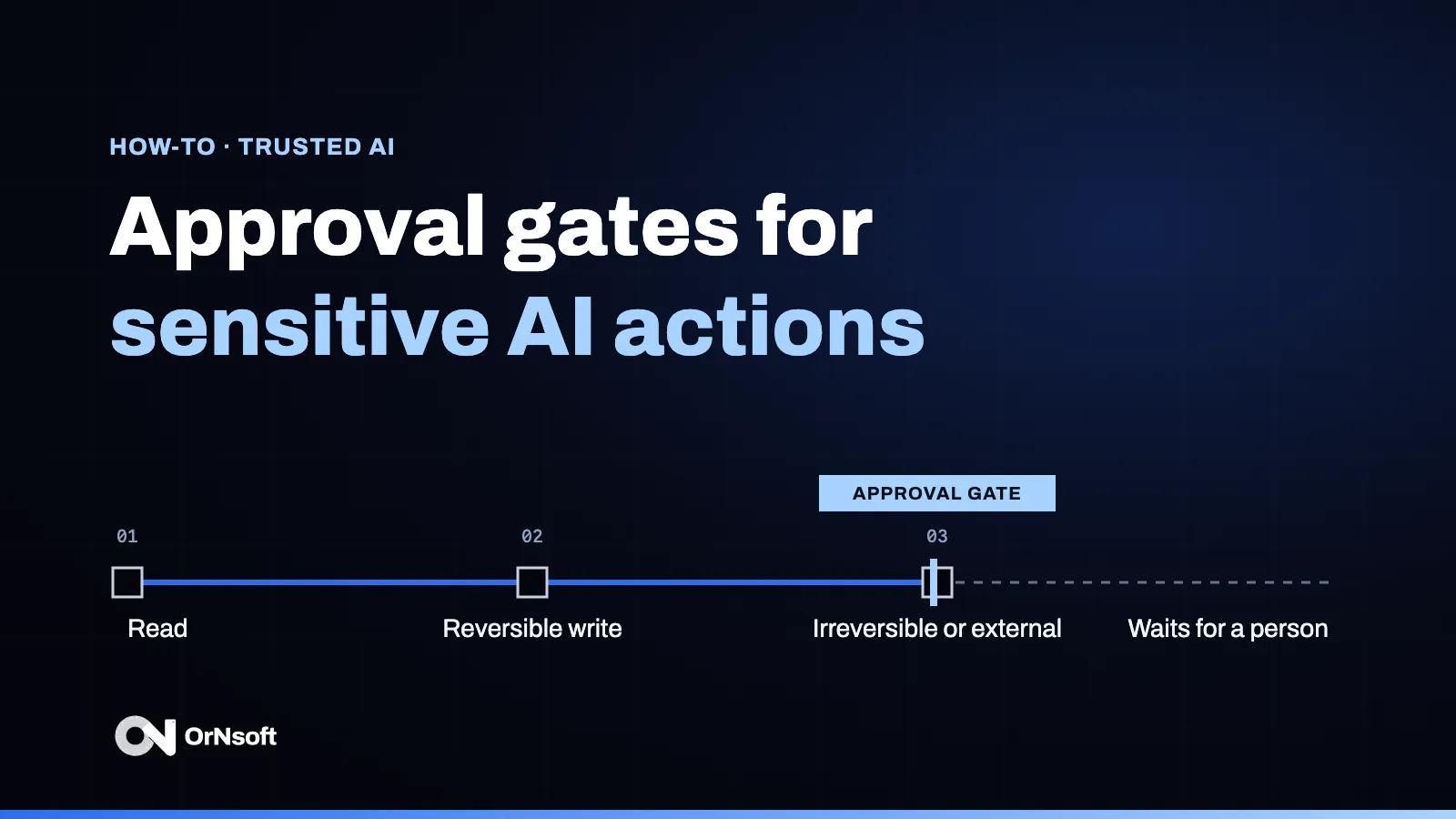
An approval gate is the human-in-the-loop approval step that stops a sensitive automated action until a named person confirms it. Designing one means deciding which actions are sensitive, who approves them, what that person sees when they decide, and what happens if they refuse or never answer.
An approval gate is a point in an AI workflow where a sensitive automated action waits for a named person to approve, edit or refuse it before it takes effect.
The principle, and a step-by-step example of one gate, are in AI trusted by design: governance built into the operation. This article is about the design decisions behind approval gates for sensitive automated actions: the ones a team has to make before an AI agent touches real systems. People set the rules; the system applies them.
Key takeaways
- Not every action needs a gate. Sort actions into tiers; gate only the sensitive one.
- Name one approver for each kind of action, with a backup, and show them the inputs, not only the output.
- Decide the timeout before go-live. An unanswered gate should fail safe.
- Record the decision with the action, so “why was this sent?” has an answer.
- Loosen gates with evidence, not with impatience.
Which AI actions need a human-in-the-loop approval gate?
Start from consequences, not from the model. A three-tier split is a useful starting point:
| Tier | Example | Gate | Approver | Timeout rule |
|---|---|---|---|---|
| Read | Look up a record, summarize a file | None | n/a | n/a |
| Reversible write | Draft a reply, update an internal field, create a task | None, or sampled review | Team lead, after the fact | n/a |
| Irreversible or external | Send to a client, pay, delete, change a contract or an access right | Approval before it runs | Named owner, with a backup | Action does not run; owner is alerted |
The OWASP Top 10 for LLM Applications lists the failure this prevents among its top risks: an AI system that can take damaging actions in response to unexpected, ambiguous or manipulated outputs. One of its mitigations is a human-in-the-loop control that requires a person to approve high-impact actions before they are taken.
Who approves, and what do they see?
Name the approver per action type, not per system, and name a backup for absences. A gate that waits for “someone in finance” waits forever.
The approver needs enough context to decide in seconds:
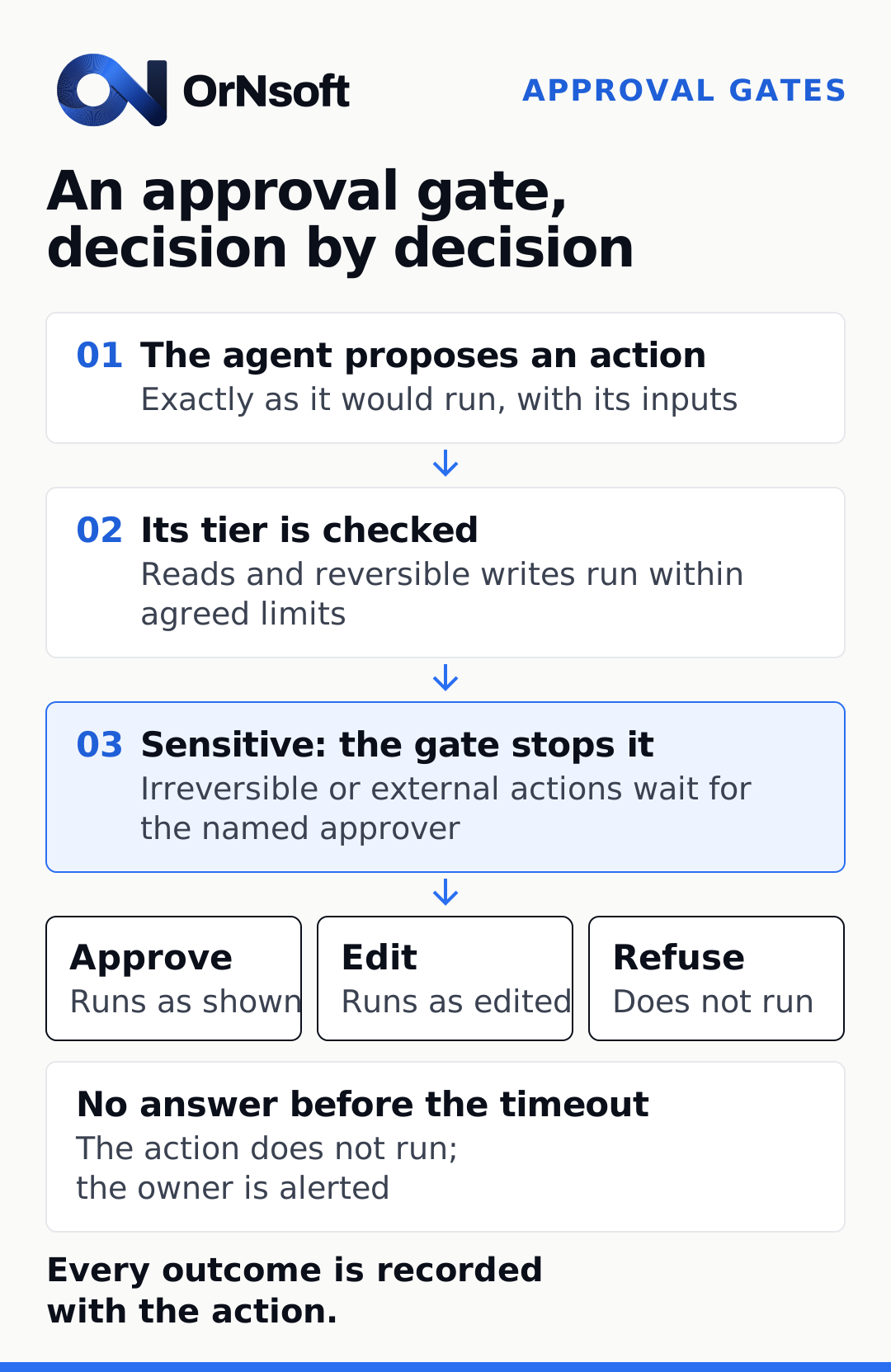
- The proposed action, exactly as it would run.
- The inputs behind it: the records, documents and rules the system used.
- Why it was flagged: which rule made it sensitive.
- Three choices: approve, edit, refuse.
Context matters because people tend to over-trust automated output. NIST’s Generative AI Profile (AI 600-1) names automation bias, excessive deference to automated systems, among the risks of generative AI. A gate that shows only a green button invites that bias; a gate that shows the inputs invites a decision.
What happens on timeout or refusal?
Write both outcomes down before go-live, in the production definition:
- Refusal ends the action. The reason is recorded and, where useful, fed back into the eval set so the system proposes better next time.
- Timeout fails safe. The action does not run, the owner is alerted, and the case goes back to the queue a person already works from.
A gate with no timeout rule is one of the quiet reasons AI pilots stall: the first unanswered approval stops the process, and nobody had decided what should happen.
How do you record the decision?
Keep the decision with the action: the proposal, the inputs shown, the approver, the choice, the time, and any edit. An audit log built this way answers the questions that come later, from a client, an auditor or your own team.
For high-risk AI systems, Article 14 of the EU AI Act requires that they can be effectively overseen by natural persons while in use. Approval gates and their records are one engineering measure that can support oversight; whether a given system falls under that article is a legal question, not a design choice.
How do you loosen a gate once it is proven?
Gates should not be permanent by default, and they should not be removed by default either. Review them on evidence:
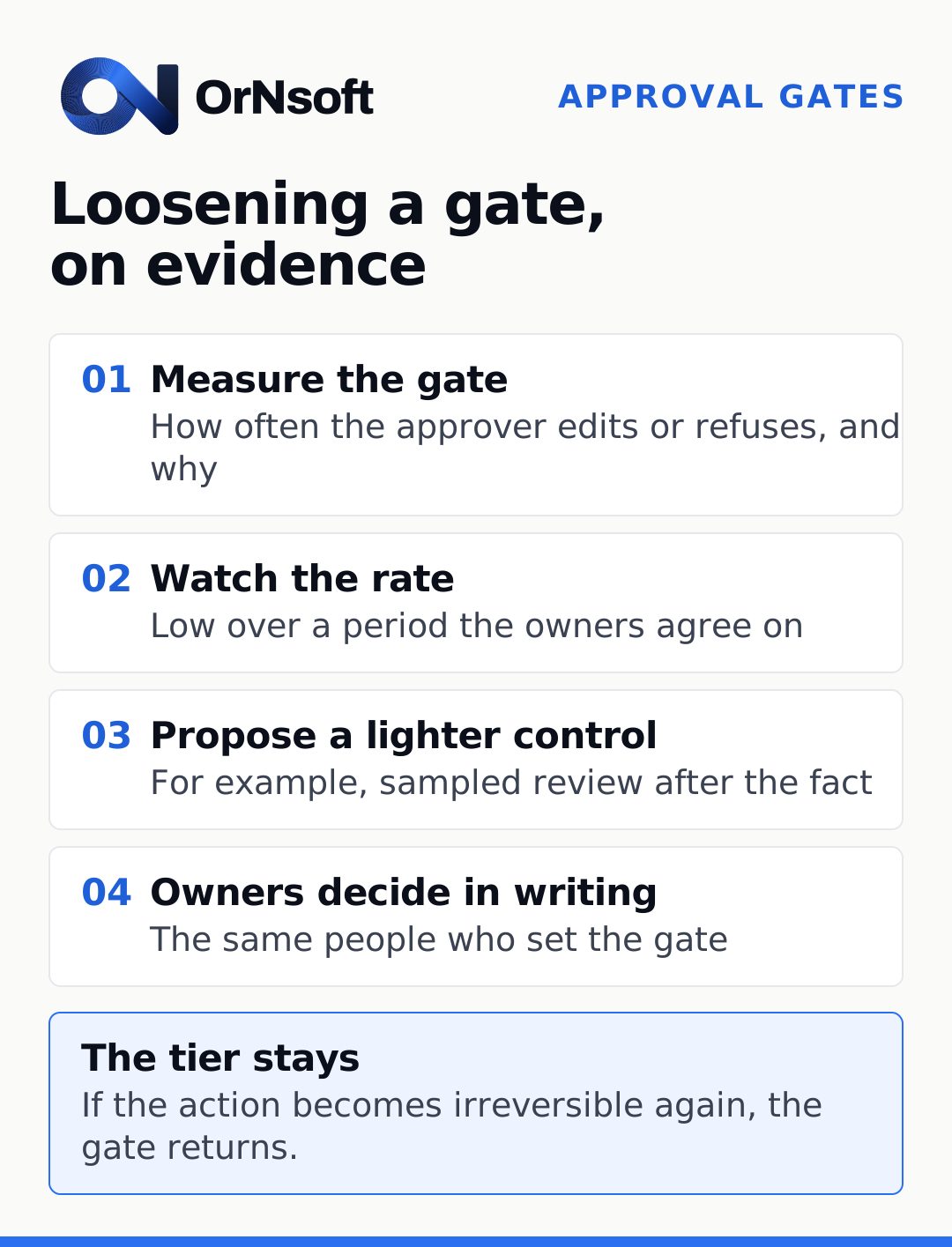
- Measure each gate: how often the approver edits or refuses, and why.
- When edits and refusals stay low over a period the owners agree on, propose a lighter control, such as sampled review after the fact.
- Decide in writing, with the same owners who set the gate.
- Keep the tier: an action that becomes irreversible again goes back behind a gate.
The same discipline applies to the evals that score the system’s outputs; see what are LLM evals.
What should you do next?
List the actions your AI system can take, sort them into the three tiers, and name an approver for every sensitive one. Designing the approval path is part of our forward-deployed engineering work. If you want help designing the gates and taking the system to production, tell us about your project.
Questions
- What is human in the loop in AI?
- A design in which a person takes part in the decision before the system's output takes effect, for example by reviewing, editing or confirming it.
- What is the difference between human in the loop and human on the loop?
- In the loop, a person confirms before the action happens. On the loop, the action happens and a person supervises, with the power to stop or reverse it.
- Do approval gates slow the system down?
- Only for the actions they cover. Reads and reversible changes keep running at machine speed; the wait applies to the small set of actions your owners classify as sensitive.
- Which actions should never run without approval?
- Usually those that cannot be undone or that leave the organization: payments, messages to clients or authorities, deletions, and changes to contracts or access rights. Your owners make the final list.
Bring us the problem.
Book a call